
Want to get notified when your favorite writer releases a new story? After the school day ends, would you like to read news easily with just a few clicks?
Download Student News Source on your iOS & Andriod devices!
The Source app can be downloaded by anyone for free from the iOS App Store or the Google Play Store. Once downloaded, the user can then select their school or any number of schools to view stories, videos and galleries, post comments, and receive automated push notifications.
Getting Started:
1. Download the app (search “student news source” or “college news source”).
2. Open the app and search for Whitmer High School and select it.
3. Accept your phone’s request for the app to allow push notifications.
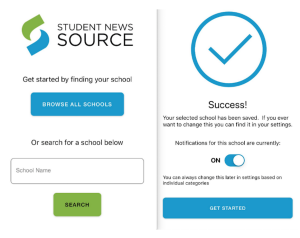
4. Toggle to the Settings tab to customize which categories you’d like to include for push notifications.
5. If you’d like to be able to comment on stories, add a username and email address.
While a laptop or desktop is the best reading and viewing experience for The Panther Press and SNO, the app is a FREE way to subscribe to individual writers within the app and you can be notified each time an article is published as well as push notifications for stories from your favorite sports, student groups and more.